
Participate in ASUS ROG Contest & win ASUS P8Z77-M-PRO, O!Play Mini & 10 consolation prizes!

Participate in ASUS ROG Contest & win ASUS P8Z77-M-PRO, O!Play Mini & 10 consolation prizes!
How to participate?
Participate Here !
Speed up your computer by increasing the ram

Now you can increase your computer speed/speed up your computer by increasing the ram of your computer.Just follow these simple steps.
- right click on my computer,select properties.A box will be shown like this
- click on advance option and go to performance settings
- a new box will get opened ,click on advance option
- click on change under virtual ram
- select custom size
- For the initial size (depending on your HD space), type in anywhere from 1000-1500 ,and for the Maximum size type in anywhere from 2000-2500.
- at last click on set and close all the windows
- restart your system and feel the change.
lock folders on your pc without any software using notepad
1. Open Notepad.
2. Copy and paste the exact code given below:-
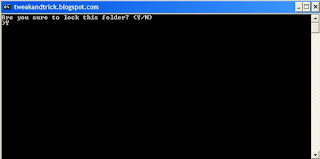
3. Click on the File Menu. Click on Save As.
4. Select All Types in the Save As Type dropdown menu. Save the file as *.bat or Locker.bat.
After creating the file, double click on the Saved file. A new folder will be created. Enter your data in the folder. Again, double click on the batch file. Type Y and press Enter. The folder will be hidden from view.
To re-view your folder, double click on the saved batch file. Enter password as "ANIRUDHA" without quotes and press Enter key. This is also the default password. Your folder will be visible again.
To change the default password, edit the part of the code given in blue and enter your own password.
2. Copy and paste the exact code given below:-
cls
@ECHO OFF
title ANIRUDHA
if EXIST "Control Panel.{21EC2020-3AEA-1069-A2DD-08002B30309D}" goto UNLOCK
if NOT EXIST MyFolder goto MDMyFolder
:CONFIRM
echo Are you sure to lock this folder? (Y/N)
set/p "cho=>"
if %cho%==Y goto LOCK
if %cho%==y goto LOCK
if %cho%==n goto END
if %cho%==N goto END
echo Invalid choice.
goto CONFIRM
:LOCK
ren MyFolder "Control Panel.{21EC2020-3AEA-1069-A2DD-08002B30309D}"
attrib +h +s "Control Panel.{21EC2020-3AEA-1069-A2DD-08002B30309D}"
echo Folder locked
goto End
:UNLOCK
echo Enter password to Unlock Your Secure Folder
set/p "pass=>"
if NOT %pass%== ANIRUDHA goto FAIL
attrib -h -s "Control Panel.{21EC2020-3AEA-1069-A2DD-08002B30309D}"
ren "Control Panel.{21EC2020-3AEA-1069-A2DD-08002B30309D}" MyFolder
echo Folder Unlocked successfully
goto End
:FAIL
echo Invalid password
goto end
:MDMyFolder
md MyFolder
echo MyFolder created successfully
goto End
:End
3. Click on the File Menu. Click on Save As.
4. Select All Types in the Save As Type dropdown menu. Save the file as *.bat or Locker.bat.
After creating the file, double click on the Saved file. A new folder will be created. Enter your data in the folder. Again, double click on the batch file. Type Y and press Enter. The folder will be hidden from view.
To re-view your folder, double click on the saved batch file. Enter password as "ANIRUDHA" without quotes and press Enter key. This is also the default password. Your folder will be visible again.
To change the default password, edit the part of the code given in blue and enter your own password.

Repair Windows XP Without Installation CD/DVD

Instructions:
- Click on START and then RUN.
- Type “webfldrs.msi” (without quote)
- This will start the process to repair your window’s problems.
- Follow the instructions.
- In next screen, choose SELECT REINSTALL MODE.
- A new window will appear.
- Put check marks on all the options and click OK.
- This will take few minutes so you can take rest and just go to cafeteria and enjoy COFFEE!
- When the process will complete, it will ask for RESTART your pc.
- Just Restart your computer and you will be amazed that you have
fixed the problems without having BOOTABLE or INSTALLATION CD.
Free personalised santa message from google

Create a custom message for one of your friends or family members. Although this service is for US residents but u can create the msg and send it to your email or share on google+. Click Here
Also get Christmas Video from Santa Claus Click Here

Bollywood k Dabangg Contest : Win Tablet and Other Prizes Daily

Bollywood k Dabangg Contest : Win Tablet and Other Prizes Daily
Go to HERE and participate
Write Done after participating..:)
Go to HERE and participate
Write Done after participating..:)
Trick to Create Fake Status of anyone on Facebook
1) First Open the Facebook Application Wall Machine and Click on Connect.

2) Now Edit Name, Status, Comments, Like and Pictures as per your Wish by clicking on the different fields present there.
3) Now Add Picture by clicking on Left Side of the Name.
4) Now it is just Done. The Fake Status is now been created.
5) Now Save the Status by Clicking Save Button present there.

So it is simple Trick to Create Fake Status of anyone on Facebook.
2) Now Edit Name, Status, Comments, Like and Pictures as per your Wish by clicking on the different fields present there.
3) Now Add Picture by clicking on Left Side of the Name.
4) Now it is just Done. The Fake Status is now been created.
5) Now Save the Status by Clicking Save Button present there.
So it is simple Trick to Create Fake Status of anyone on Facebook.
How to Permanently Delete a Facebook Account without Deactivating

If you want to Delete your Facebook Account then follow the Procedure
as given below
1) Go to Facebook Account Deletion Page.

2) Now You will be asked to Enter Your Facebook Account Password and a Couple of more Information, after which you will get a Notification saying that Your Account has been Deactivated and will be Deleted after 14 days.

3) Now Facebook provides You a Grace Period. Within these 14 days if You want to get back to Facebook again, then you simply have to Cancel your Facebook Account Deletion Request and You will be back.

Subscribe to:
Posts (Atom)